
Remote management tools are supposed to help administrators control environments at scale. When attackers compromise them, or abuse them after gaining access, they become something much more dangerous: a trusted, high-privilege path that blends directly into normal operational traffic.
CISA added CVE-2024-1708, a ConnectWise ScreenConnect path traversal vulnerability, to the Known Exploited Vulnerabilities catalog on April 28, 2026, alongside CVE-2026-32202, a Microsoft Windows protection mechanism failure. The ScreenConnect addition matters not only because of the vulnerability itself, but because of what ScreenConnect is: a remote management and support platform used heavily by managed service providers, IT departments, and help desk teams to access endpoints across many client environments.
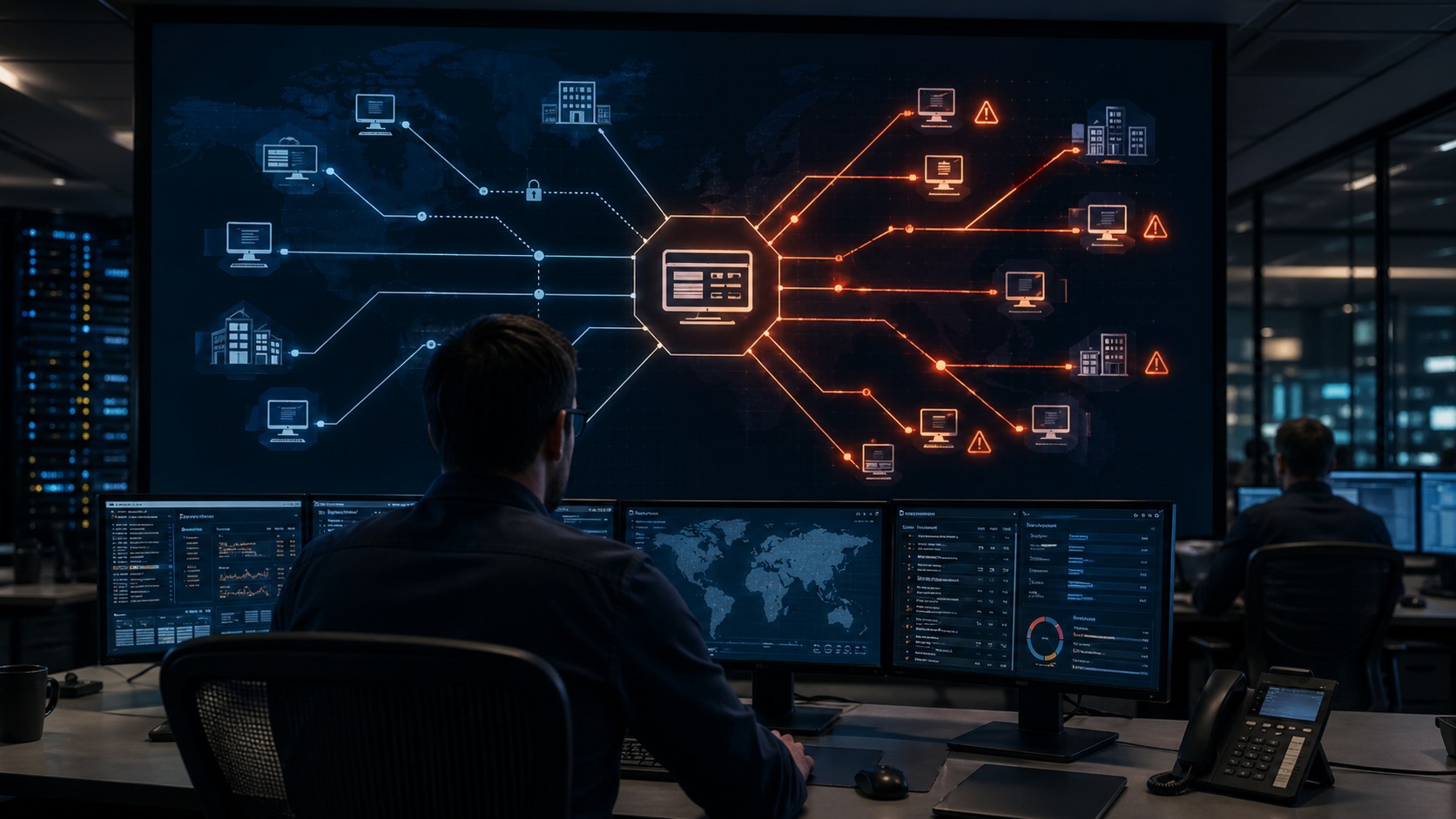
A compromised or abused ScreenConnect instance is not a single-host problem. It can become a pivot point into every downstream environment the tool can reach.
This article covers the KEV addition, why remote monitoring and management tools are structurally dangerous when abused, and what defenders should do now to address the immediate vulnerability while improving detection of RMM-based lateral movement more broadly.
For broader context on how KEV additions should drive remediation priorities, see our earlier analysis, Patch Tuesday and KEV: Prioritizing Real Risk.
| Threat Type | Actively exploited path traversal in ConnectWise ScreenConnect enabling remote code execution or direct access to critical systems; broader RMM tool abuse for lateral movement after compromise |
|---|---|
| Severity | High – KEV inclusion confirms in-the-wild exploitation; RMM tools carry elevated risk because they often provide privileged access across downstream environments |
| Affected Product | ConnectWise ScreenConnect 23.9.7 and prior, including self-hosted and on-premises deployments |
| CVE | CVE-2024-1708 – path traversal; companion KEV addition: CVE-2026-32202 – Windows protection mechanism failure |
| KEV Added | April 28, 2026 |
| Patch Available | Yes – ScreenConnect 23.9.8 or later |
| Federal Remediation Deadline | Binding Operational Directive 22-01 applies; check the CISA KEV catalog for the exact required remediation date |
| High-Risk Environments | MSPs, IT service providers, and enterprises running self-hosted ScreenConnect instances |
| Primary Detection Surface | ScreenConnect server logs, administrative activity records, endpoint process activity, identity logs, and network traffic analysis |
ConnectWise ScreenConnect is a remote desktop and support platform used widely across managed service provider environments. It allows technicians to initiate sessions on remote endpoints, execute commands, transfer files, and manage systems at scale. That functionality is exactly what makes it operationally valuable — and exactly what makes it dangerous when exploited or abused.
CVE-2024-1708 is a path traversal vulnerability affecting ScreenConnect versions 23.9.7 and prior. Path traversal flaws allow an attacker to reference files or directories outside the intended scope by manipulating file path inputs. In ScreenConnect’s context, the practical risk includes remote code execution or direct access to confidential data and critical systems, depending on how the flaw is chained. ConnectWise released ScreenConnect 23.9.8 as the security fix and urged on-premises customers to upgrade immediately.
The structural risk is broader than the vulnerability itself. A compromised ScreenConnect server may have access to every endpoint that has an active or historically registered session. In MSP environments, that can mean hundreds of downstream client networks. Attackers who establish access through ScreenConnect do not need to move laterally in the traditional sense — the tool already moves for them, providing privileged administrative access across environments that trusted it.
This is what makes RMM tool compromise so operationally significant: the blast radius is not defined by a single host or a single network. It is defined by the scope of the tool’s reach.
The ScreenConnect KEV addition reflects a broader security problem. Remote management and monitoring tools, including ScreenConnect, AnyDesk, TeamViewer, and similar platforms, are increasingly appearing in post-compromise intrusion chains. Sometimes the attacker gains access through a vulnerability. Other times, the attacker uses stolen credentials and operates through the tool the way an administrator would.
This creates a detection problem structurally similar to the LOLBin challenge covered in Detecting LOLBin Abuse in Trusted Windows Tools: the tool is legitimate, its traffic can look normal, and blocking it outright is often not operationally feasible. Detection has to focus on behavioral context rather than the presence of the tool alone.
RMM abuse sits at the intersection of vulnerability exploitation, identity compromise, and lateral movement. The tool itself is not malicious. In most environments, it is an approved administrative platform. That is exactly why attackers want it.
When an attacker controls a remote management platform, they inherit the platform’s trust relationships. They can initiate sessions, run commands, transfer files, and reach systems that may otherwise be segmented from ordinary access paths. This is especially dangerous in MSP environments, where one management platform may connect to multiple client networks.
The operational implication is simple: defenders cannot treat RMM activity as automatically safe just because the product is approved. The security question is not only whether ScreenConnect is present. The question is who is using it, from where, at what time, and what activity follows the session.
This is why RMM abuse can be harder to detect than conventional malware execution. The attacker may not need to drop an obvious suspicious binary at first. They can use the same remote access path administrators use every day.
Inventory every self-hosted or on-premises ScreenConnect deployment across your environment and any managed environments you are responsible for. Cloud-hosted instances managed directly by ConnectWise have a different exposure profile, but on-premises deployments running 23.9.7 or earlier should be treated as the immediate priority.
Upgrade to ScreenConnect 23.9.8 or later immediately. If patching cannot happen quickly for business reasons, isolate the server from internet-facing exposure as a temporary measure. Do not leave a vulnerable, internet-accessible ScreenConnect instance running without compensating controls while remediation is scheduled.
Before and after patching, review ScreenConnect server logs for anomalies. Relevant indicators include:
If there is any uncertainty about whether the instance was accessed before patching, treat credentials and machine keys as potentially compromised. Rotate all ScreenConnect administrator credentials. If machine keys may have been exposed, rotate those as well. A compromised machine key can enable follow-on attacks independent of the original path traversal flaw.
For MSPs and IT service providers, a compromised ScreenConnect instance is a shared risk. If exploitation cannot be ruled out, downstream clients should be informed and their environments should be reviewed for signs of unauthorized session activity originating from the compromised server.
Patching addresses the vulnerability. It does not retroactively detect activity that may have already occurred, and it does not solve the broader issue of attackers abusing legitimate remote access tools with valid credentials.
To investigate RMM abuse properly, defenders need visibility across several layers:
ScreenConnect sessions started outside normal support hours deserve attention, especially when they come from unfamiliar IP addresses, unexpected countries, VPN providers, hosting providers, or accounts that do not usually initiate remote sessions.
A support technician using ScreenConnect during business hours from a known corporate network is one profile. The same account starting sessions at 3 AM from an unfamiliar cloud-hosting IP is a very different profile.
Attackers often prefer accounts that already have trust. That means defenders should review unusual use of administrative accounts, especially if a dormant account suddenly becomes active, a technician account accesses unfamiliar systems, or an account initiates sessions across multiple environments in a short period of time.
Remote access itself is not automatically suspicious. The activity that follows matters. Defenders should pay close attention when a ScreenConnect session is followed by command-line activity, scripting tools, file downloads, credential access attempts, or security tool tampering.
Examples of activity worth investigating include:
File transfer is a normal feature of remote support tools, but it can also be abused to stage payloads, scripts, credential theft tools, or ransomware components. Defenders should review transfers involving unusual file types, unexpected destinations, compressed archives, executable files, or files written to temporary and user-writable directories.
The ScreenConnect server should not normally behave like an attack platform. If it begins making unusual connections to internal systems over SMB, RDP, WinRM, WMI, or other administrative protocols, that should be investigated quickly.
This is especially important for MSPs. A compromised RMM server may become a bridge between the attacker and downstream client networks.
Administrative account creation inside ScreenConnect should be monitored closely. An attacker who compromises the server may create a persistent backdoor account. Review recent account additions, permission changes, and role assignments against known personnel and approved change records.
RMM-based lateral movement rarely happens in isolation. In many modern intrusion chains, the attacker arrives through an identity path first — stolen credentials, AiTM session theft, OAuth abuse, or compromised administrator accounts — and then uses that access to reach RMM infrastructure.
The ScreenConnect server or agent may not be the initial target. It may be the escalation path once identity access is established.
This means the strongest detection posture combines identity signals with RMM activity. An unusual ScreenConnect session that follows a suspicious sign-in event, MFA anomaly, or conditional access bypass is a materially higher-confidence signal than either indicator alone.
For practical guidance on the identity side of this detection chain, see How to Investigate Identity Compromise in Microsoft 365 and Microsoft Entra Sign-In Logs: 10 Fields Defenders Ignore.
The quick win is patching vulnerable ScreenConnect instances and confirming that all self-hosted deployments are running 23.9.8 or later. That is the immediate remediation action.
The harder problem is detection. RMM activity is expected in many environments. Technicians use it every day. Support teams need it to function. That means defenders cannot rely on simple tool presence as the detection logic.
They need baselines: which accounts initiate sessions, from where, at what times, which endpoints they usually access, and what activity normally follows those sessions.
Defensive Maturity Note: Mature RMM detection is less about finding ScreenConnect and more about understanding whether ScreenConnect is being used in a way that matches normal administrative behavior.
The ScreenConnect KEV addition is an immediate patching priority. But the detection questions it raises are longer-term monitoring problems: how do you distinguish legitimate RMM activity from attacker-controlled sessions, and how do you detect lateral movement through a trusted tool?
The organizations best positioned to answer those questions are the ones that have already baselined what normal RMM activity looks like in their environment. If that baselining work has not started, this KEV addition is a reasonable prompt to begin.
Remote management tools are not going away. They are too useful. But the same trust that makes them useful for administrators makes them valuable to attackers. In 2026, RMM visibility is no longer just an IT operations concern. It is a core part of intrusion detection.
If you find ByteVanguard useful, you can support the site and help keep the analysis independent.
Support the analysis