NIST · SP 800-63B
Current digital identity guidance stating that verifiers should not require periodic password changes, but should force a change when there is evidence of compromise.

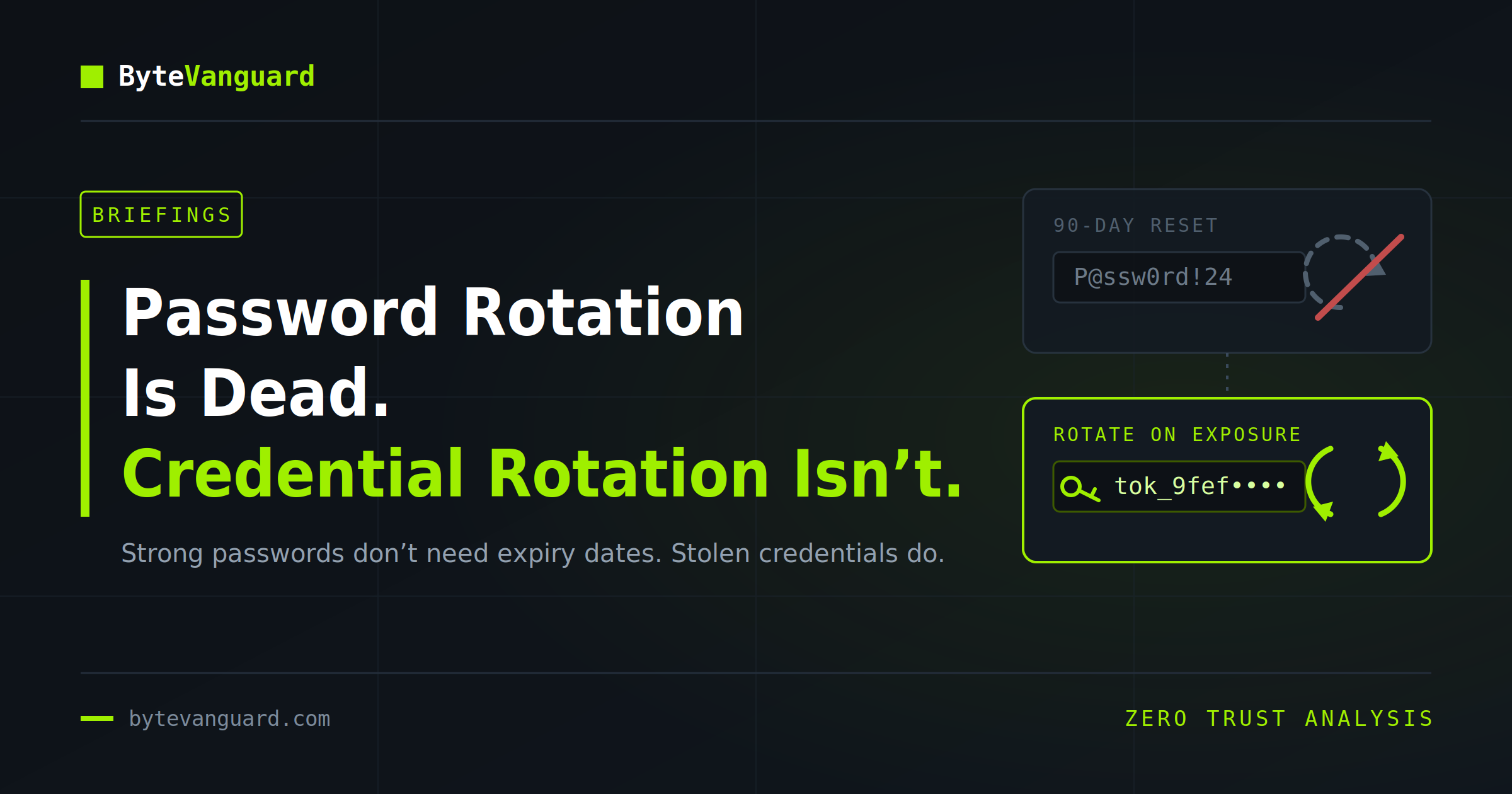
Routine password expiration is fading from modern security guidance. But the credentials used by applications, service accounts, automation platforms, cloud workloads, and machines still need disciplined lifecycles—and often much shorter ones.
For decades, one of the most familiar rules in enterprise security was also one of the simplest: change your password every 60 or 90 days.
The rule appeared in corporate policies, operating systems, compliance checklists, employee training programs, and audit reports. A password that had not changed recently was treated as a warning sign. A newly changed password was treated as evidence that risk had been reduced.
That assumption is now being reconsidered.
Modern identity guidance increasingly distinguishes between two separate problems that older policies often combined: the passwords people remember and the credentials systems use to authenticate automatically.
For human users, forced periodic changes can encourage predictable behavior. Users append a season, replace a digit, move an exclamation mark, or alternate between a small set of familiar passwords. The credential changes technically, but the security improvement may be negligible.
For machines, applications, and automation, however, a long-lived credential presents a different problem. It can be copied into source code, configuration files, deployment pipelines, backups, logs, scripts, browser storage, or an attacker’s collection. It may remain valid long after the original exposure is forgotten.
Password rotation may be dying as a universal calendar rule.
Credential lifecycle management is not.
Routine password expiration was not invented without reason.
In earlier enterprise environments, passwords were frequently short, reused across systems, stored insecurely, and protected without multi-factor authentication. Centralized breach intelligence was limited, password managers were uncommon, and organizations had fewer ways to identify compromised credentials quickly.
If an attacker learned a password, forcing the user to change it periodically could reduce how long that password remained useful.
The policy also gave administrators a visible control they could measure. Systems could report password age. Auditors could verify that expiration was enabled. Organizations could point to a defined interval and say that credentials were being refreshed.
But the policy measured activity rather than outcome.
A password changed every 90 days was not necessarily strong, unique, or unknown to an attacker. It was simply new according to the system clock.
“A credential can be recently changed and already compromised. It can also be several years old and still computationally impractical to guess.“
A strong password does not physically decay over time.
A randomly generated 30-character password does not become easier to brute-force merely because it was created one year ago instead of yesterday. Its cryptographic strength depends on factors such as length, randomness, uniqueness, storage, and the security of the authentication system—not the date on which it was selected.
Age matters when it increases the opportunity for exposure.
A credential may have been entered into a phishing page. It may have been captured by malware, reused on another service, shared with a colleague, stored in a browser, included in an old document, or extracted from a compromised password database.
Those are reasons to change a password.
The calendar alone is not evidence that any of them occurred.
| Decision | Traditional model | Modern model |
|---|---|---|
| When to change | Every fixed number of days | When exposure, compromise, reuse, or unsafe handling is detected |
| Primary objective | Reduce password age | Reduce the probability and impact of credential compromise |
| Password quality | Complexity rules and frequent changes | Length, uniqueness, screening, safe storage, and MFA |
| User behavior | Remember and repeatedly modify passwords | Use a password manager and generate unique credentials |
| Response to exposure | Wait for the next scheduled change | Revoke sessions, investigate, and replace the credential immediately |
NIST’s current digital identity guidance states that verifiers should not require subscribers to change passwords periodically. It also states that a password change should be forced when there is evidence that the authenticator has been compromised.
This is not an argument for leaving weak passwords untouched.
It is an argument for using controls that address actual causes of compromise:
A 30-character random password that is unique, safely stored, and not known to be compromised does not gain meaningful protection from being manually replaced every 90 days.
But that conclusion applies most directly to human passwords. It should not be extended blindly to every form of digital credential.
The word “password” often refers to a secret memorized or stored for a human user. The word “credential” is broader.
A credential is any form of authentication material that allows an identity to prove its authority to another system.
Credentials can include service-account passwords, API keys, OAuth client secrets, database connection passwords, private cryptographic keys, signing certificates, cloud access keys, deployment tokens, session tokens, and authentication cookies.
Some are used by people. Many are not.
This distinction matters because machine credentials often have wider operational reach, weaker ownership, longer lifetimes, and less visible usage than ordinary employee passwords.
A human password is usually entered during an interactive sign-in. The user has a device, an expected location, a work schedule, and recognizable behavior. Authentication systems can challenge suspicious activity, require MFA, or ask the user to confirm an unusual login.
A machine credential is designed to work without that human interaction.
It may authenticate a scheduled task at 3:00 a.m., allow an application to read a database, let a deployment pipeline modify production, permit a monitoring agent to query thousands of systems, or enable a backup platform to access critical infrastructure.
These credentials may operate continuously. They may be exempt from ordinary MFA because no person is present to approve a prompt. They may also be embedded across multiple dependent systems that will fail if the credential changes unexpectedly.
That operational dependence encourages organizations to avoid rotation.
A secret is created. The application works. Nobody wants to risk breaking it. Years pass.
The password may still be strong. But its history is no longer knowable.
Secrets are not rotated because time makes them mathematically weaker.
They are rotated because defenders cannot always know when they were copied.
An API key can be committed to a private repository that later becomes public. A database password can appear in a support archive. A service-account credential can remain in an old automation script. A private key can be copied from a developer laptop. A cloud secret can be included in a container image or exposed through an incorrectly configured pipeline.
An attacker does not need to change the credential or interfere with the legitimate application. The attacker can quietly preserve a copy.
As long as the secret remains valid, it may provide continued access.
Rotation limits that persistence. Once the old value is revoked, copies held by unauthorized parties stop working.
| Exposure path | Why it may remain unnoticed | Security consequence |
|---|---|---|
| Source code | The secret is buried in an old commit or cloned repository | Anyone with repository access may retain a valid copy |
| Configuration | The credential is copied across servers and environments | One exposed host can reveal access to other systems |
| Backups | Historical files remain outside normal secret-management controls | Old credentials may still unlock current infrastructure |
| Logs and tickets | Troubleshooting data is retained and widely accessible | Support records can become credential repositories |
| Developer devices | Secrets are cached locally or stored in command histories | Endpoint compromise becomes application compromise |
| Third parties | Vendors retain credentials after a project or contract ends | Access survives beyond the original business relationship |
Manual credential rotation is difficult because changing a machine secret affects every system that depends on it.
An administrator must create the replacement, update applications, restart services, test integrations, confirm that the new value works, and revoke the old one. If one dependency is missed, the rotation can create an outage.
This creates a predictable failure pattern: an organization writes a policy requiring rotation, but the systems considered too fragile or important receive exceptions. Those exceptions then become permanent.
Automation changes the calculation.
A secrets-management platform can generate a new value, distribute it to authorized workloads, maintain overlapping versions during a controlled transition, verify that applications have adopted it, and revoke the previous version.
The goal is not to make people change secrets more frequently by hand.
The goal is to remove humans from routine secret handling.
“The best rotation process is one that applications survive automatically and administrators do not have to remember.“
Rotating a static credential every 90 days still leaves a potentially stolen credential valid for up to three months.
Modern cloud and identity architectures increasingly favor temporary credentials that expire in minutes or hours.
A workload authenticates using a trusted platform identity. The identity provider issues a short-lived token for a defined resource and permission scope. When the token expires, the workload requests another one. No permanent password needs to be stored in application code.
This approach does not eliminate security risk. A temporary token can still be stolen and misused during its active period. Excessive permissions can still cause major damage. A compromised workload may continue requesting new tokens.
But short-lived credentials reduce one critical variable: duration.
A universal rotation interval is attractive because it is simple. It is also poorly aligned with risk.
A low-privilege credential used by an isolated legacy device does not present the same exposure as a cloud deployment key that can modify production. A hardware-protected signing key does not have the same lifecycle as an API token copied across developer laptops.
Rotation frequency should reflect the credential’s authority, reach, storage, exposure, and recoverability.
A frequently rotated credential can still be dangerous if it grants too much authority.
An API key replaced every day remains a critical risk if it can read every customer record, create administrators, alter production infrastructure, or disable security controls. A stolen credential may need only a few minutes to cause damage.
Credential lifecycle management must therefore be combined with least privilege.
Each identity should receive only the permissions needed for its specific function. Development, testing, and production should use separate credentials. Read-only tasks should not receive write access. Deployment systems should not automatically inherit broad cloud-administration roles.
Rotation reduces persistence.
Least privilege reduces impact.
Monitoring reduces time to detection.
All three are necessary.
Traditional service accounts frequently combine the disadvantages of both human and machine identities.
They may be ordinary directory user accounts with passwords, but they are used by software instead of people. Because applications depend on them, their passwords are excluded from expiration. Because they look like user accounts, they may also inherit roles, group memberships, remote-login rights, and access patterns that were never designed for automation.
Some remain active after the original application is retired. Others have no documented owner. Several systems may share one account, making it difficult to determine which workload performed an action.
Modern platforms increasingly recommend replacing these user-based service accounts with managed identities, service principals, or workload identities designed specifically for non-human authentication.
Distinguish human passwords, service accounts, API keys, certificates, tokens, cloud identities, signing keys, and application secrets. Each requires a different lifecycle.
Document ownership, storage location, dependent systems, permissions, last use, creation date, expiration, rotation method, and emergency revocation procedure.
Replace embedded credentials with managed identities, workload federation, temporary access tokens, platform roles, and other secretless authentication mechanisms.
Use an approved secrets manager or privileged-access platform instead of source code, spreadsheets, tickets, shared documents, local files, and unprotected configuration.
Build applications that retrieve current credentials dynamically, support version overlap, tolerate replacement, and continue operating without manual edits.
Use narrowly scoped permissions, separate identities for separate functions, short token lifetimes, restricted login paths, and explicit access to sensitive resources.
Alert on unexpected locations, unusual resources, anomalous volume, new user agents, privilege changes, dormant-account activity, and access outside the identity’s normal function.
Test whether teams can disable an identity, invalidate tokens, rotate certificates, replace secrets, update dependencies, and restore service during a real incident.
Many security reviews still begin with a familiar question:
When was this password last changed?
That question remains useful in limited circumstances, but it does not reveal whether the credential is safe.
A better review asks:
This is not a formal scoring formula. It is a way to show why password age alone is an incomplete measure.
The title is intentionally provocative, but the conclusion requires precision.
Password changes are still necessary when a password is compromised, exposed, reused, shared improperly, recovered through an unsafe process, or associated with an account takeover. Some legacy systems and regulatory environments may also impose mandatory intervals that organizations must continue to satisfy.
Emergency and recovery accounts may require special handling. Privileged credentials stored in a password vault may be rotated automatically after use. Temporary contractor accounts may expire at the end of an engagement. Local administrator passwords may be randomized and managed independently for every device.
The obsolete idea is not password change itself.
It is the assumption that changing every strong password on the same calendar automatically produces better security.
Modern security should rotate credentials because risk requires it—not because a date field turned red.
The strongest credential is often the one an application never stores.
Managed identities and workload federation allow software to obtain temporary access based on platform trust rather than a permanent secret embedded in configuration. Secrets managers can reduce uncontrolled copies and automate replacement. Privileged-access systems can issue temporary administrative credentials instead of maintaining standing access.
This shifts security away from periodically replacing static secrets and toward continuously controlling who can obtain access, to which resource, for what purpose, and for how long.
Passwords will not disappear immediately. Service-account credentials, API keys, certificates, and legacy secrets will remain throughout enterprise environments for years.
But defenders should stop treating permanent credentials as the default design.
The strategic path is clear:
Inventory what exists. Eliminate what is unnecessary. Centralize what remains. Automate its lifecycle. Shorten its validity. Restrict its authority. Monitor every use. Revoke it quickly when trust changes.
Sourcing: Password-expiration guidance is based on NIST Special Publication 800-63B and the NIST Digital Identity Guidelines. Recommendations concerning secrets inventory, centralized storage, rotation, short lifetimes, and automated replacement are based on the OWASP Secrets Management Cheat Sheet and related OWASP guidance. References to managed identities, service principals, and workload identities are based on Microsoft Entra and Azure documentation. Specific credential lifetimes should be selected according to the credential’s purpose, authority, exposure, platform capabilities, legal obligations, and the organization’s ability to rotate or revoke it safely.
If you find ByteVanguard useful, you can support the site and help keep the analysis independent.
Support the analysis