

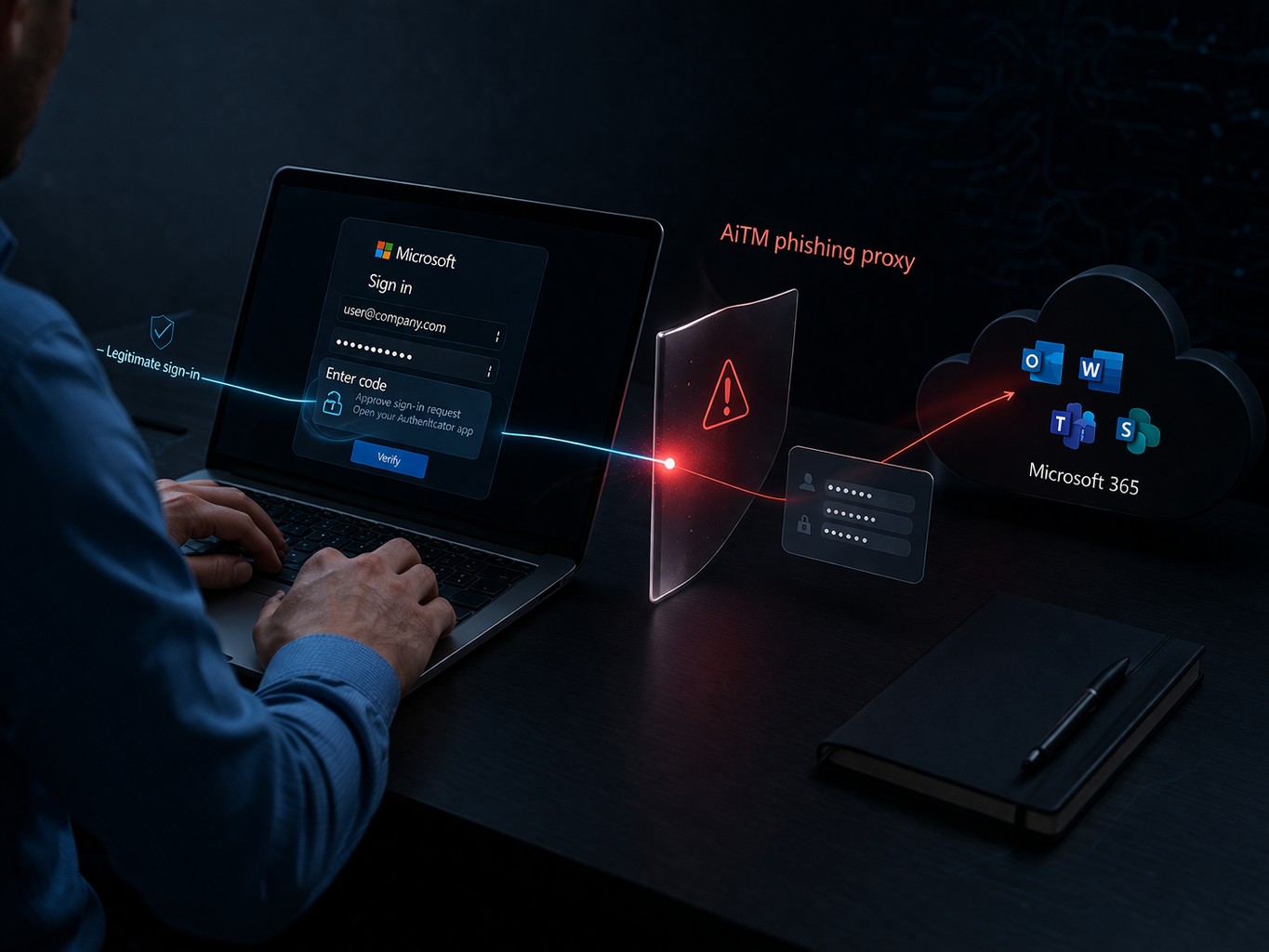
Adversary-in-the-Middle (AiTM) phishing is one of the most dangerous identity threats in Microsoft 365 because it can undermine MFA protections by stealing an authenticated session after the user completes sign-in. Instead of simply stealing a username and password, AiTM phishing kits proxy the real sign-in flow, capture credentials, intercept MFA responses, and steal authenticated session cookies or tokens. Once replayed, those sessions can let an attacker access Microsoft 365 services as if they were the legitimate user. Microsoft’s current guidance on token theft and replay focuses on reducing risk, detecting successful theft, and limiting replay impact.
That makes detection critical. The challenge is that the initial sign-in can look legitimate. The opportunity is that replayed sessions, unusual token behavior, and post-login abuse often leave enough evidence to spot the intrusion before it turns into business email compromise, privilege escalation, or persistent access. Microsoft documents a layered approach built around Entra ID Protection, Defender XDR, sign-in telemetry, and response actions.
For a broader breakdown of how AiTM phishing works and why session theft is so effective, see our earlier analysis: AiTM Phishing: How Attackers Bypass MFA and Hijack Sessions.
Traditional phishing usually ends with stolen credentials. AiTM goes further by sitting in the middle of a live authentication session. The victim believes they are signing in normally, completes MFA, and the attacker captures the resulting session artifacts. That means defenders may see a valid-looking login followed by suspicious activity from another IP address, browser, device context, or geography. Microsoft’s published investigations of AiTM campaigns repeatedly tie these attacks to session cookie theft, replay, and downstream fraud activity.
Microsoft Entra ID Protection includes detections directly relevant to session theft and AiTM-style activity. The most important ones to monitor include:
These detections matter because they focus on the exact kinds of inconsistencies common in session replay attacks: unusual token use, unexpected sign-in characteristics, and suspicious changes in context. Microsoft’s token protection guidance also emphasizes that detection should be paired with preventive controls designed to limit replay value.
Microsoft Defender XDR also documents a session cookie theft alert workflow specifically tied to AiTM-style attacks. Its public playbook is built around investigating suspicious behavior indicative of an AiTM-type attack for cookie theft and determining whether the alert is a true positive or false positive.
Even without every premium detection enabled, sign-in logs can still reveal strong hunting leads.
A common pattern is a legitimate user authenticating through the phishing proxy, followed by the attacker replaying the session from another location shortly after. One IP change alone is not enough, but rapid changes paired with new ASN, browser, or device context deserve review.
SigninLogs
| where TimeGenerated > ago(1h)
| where ResultType == 0
| summarize distinct_IPs = dcount(IPAddress), IPs = make_set(IPAddress, 10) by UserPrincipalName
| where distinct_IPs > 1The first sign-in may look normal because the victim completed it. The stronger clue is often the next successful session from a geography or network profile that does not fit the user’s normal pattern. Microsoft’s risk detections are built to surface this kind of abnormal sign-in context.
Replay activity often lacks the same device assurances as the victim’s real session. A sign-in from an unmanaged or previously unseen device is not automatically malicious, but it becomes much more interesting when paired with unusual IP, location, or risky token behavior.
Microsoft’s token theft playbook calls for investigating suspicious sign-in properties around token theft incidents. In practice, that includes unexpected user agents, cloud-hosted infrastructure, residential proxy patterns, or anonymization services.
In real Microsoft 365 incidents, the strongest evidence of AiTM is often not the authentication event itself but what happens next.
Watch for:
Microsoft’s investigations into AiTM and token theft show that these attacks frequently lead to follow-on actions such as session replay, cloud abuse, and financially motivated activity.
Review Entra ID Protection and Defender XDR alerts first. Even one low-volume session theft signal can matter because replayed sessions often give attackers immediate access. Microsoft’s session-cookie theft playbook exists for exactly this scenario.
Build a short timeline around the user:
Look for a normal-looking sign-in followed quickly by another session with a different environment.
Review Exchange, SharePoint, OneDrive, admin actions, OAuth consents, and mailbox rule creation. This step often tells you faster than the initial login whether the account was actually abused.
If risk is confirmed, do more than reset the password. Microsoft’s guidance on token theft and remediation focuses on revoking sessions, reviewing added credentials or devices, and investigating related malicious email or follow-on activity.
Timeline of successful sign-ins
SigninLogs
| where TimeGenerated > ago(24h)
| where ResultType == 0
| project TimeGenerated, UserPrincipalName, IPAddress, Location, AppDisplayName, ClientAppUsed, UserAgent
| order by UserPrincipalName asc, TimeGenerated asc
Successful sign-ins with risk indicators
SigninLogs
| where TimeGenerated > ago(24h)
| where ResultType == 0
| where RiskLevelDuringSignIn in ("medium", "high") or RiskDetail != "none"
| project TimeGenerated, UserPrincipalName, IPAddress, Location, AppDisplayName, RiskLevelDuringSignIn, RiskDetail
| order by TimeGenerated descDetection is only part of the answer because AiTM attacks abuse valid sessions. Microsoft’s current token guidance emphasizes defense in depth: harden devices, reduce exposure to risky destinations, use device-based and risk-based controls, and protect against replay where supported.
The highest-value controls are:
Token protection deserves special attention. Microsoft describes it as part of a broader strategy to block replay or reduce the impact of successful token theft by enforcing device-bound tokens in supported scenarios. It is powerful, but it is not a magic fix for every workflow or client.
AiTM phishing is dangerous because it turns a legitimate-looking login into a stolen trusted session. That is why defenders who think only in terms of passwords and MFA prompts often miss it. The organizations with the best chance of catching it early are the ones that correlate Entra detections, Defender XDR alerts, sign-in anomalies, and post-login abuse.
The login may look normal. The session often does not.
These sources provide the latest insights into AiTM mechanics, Entra ID risk detections (including Attacker in the Middle, Anomalous token, and Unfamiliar sign-in properties), token protection features, session cookie theft alerts, and practical hunting/remediation steps.
If you find ByteVanguard useful, you can support the site and help keep the analysis independent.
Support the analysis